If your office is still running on an old PABX, copper lines, or a phone system that only rings at one desk, a cloud phone system is the single biggest upgrade you can make this year. Calls follow your staff instead of a building, your bill usually drops, and you stop paying for lines and handsets nobody uses.
But "cloud phones" covers a lot of ground. Here's a plain-English guide to how they work for a Perth business, what to look for, and how to switch without missing a call.
How a cloud phone system actually works
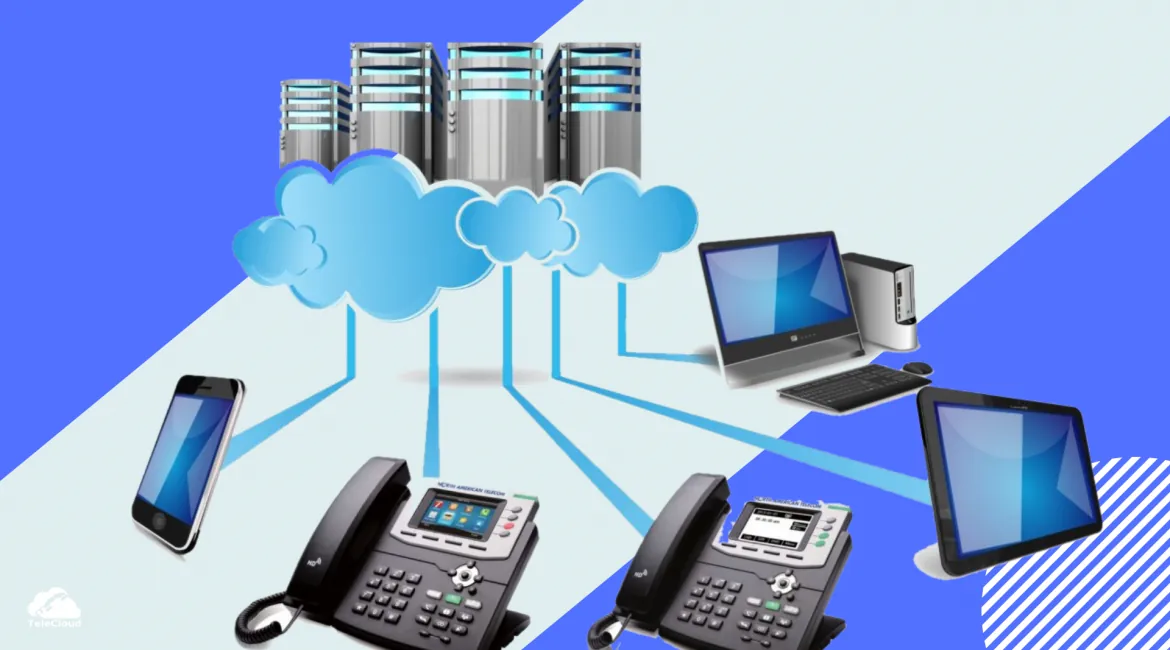
A cloud phone system (also called UCaaS or VoIP) runs your phones over the internet instead of over a physical phone line bolted to your office. Your number lives in the cloud, so a call to your business number can ring a desk phone, a mobile app, or a laptop — at the same time — wherever your staff are.
Because it's not tied to one location, it solves the three problems we hear about most: calls going to voicemail when someone's out, paying for lines that sit unused, and being stuck when the office move happens. You keep your existing numbers — 1300, landline and mobile — and we port them across with no downtime.
What to look for
Before you pick a platform, make sure it does the things that actually matter day-to-day for a Perth business:
- Simultaneous ring — the same call rings a desk phone, mobile and laptop at once
- Auto-attendant and call queues — "Press 1 for sales", hold queues, and business-hours routing
- Voicemail to email — so messages arrive in your inbox, not on a handset no one checks
- Call recording and reports — useful for training and for resolving "who said what" disputes
- Mobile and desktop apps — so staff can take calls from home or site, showing your business number
- Microsoft Teams integration — if your team already lives in Teams, your phones should too
RingCentral, Zoom Phone or GoTo — which one?
There's no single right answer — it depends on your team and the tools you already use. We're vendor-neutral, so here's the honest breakdown.
RingCentral
Best for growing teams that want everything in one app. Voice, video, SMS and team messaging in a single platform, with strong CRM integrations and the ability to scale from a handful of users up to hundreds. It's the pick when you want one app to replace several.
Zoom Phone
Best for businesses already on Zoom Meetings. One app for calls and meetings, a virtual receptionist, call recording, and simple per-user pricing. If your team already knows Zoom, the learning curve is almost zero.
GoTo Connect
Best for small offices that want simple and affordable. Easy admin, call queues, voicemail to email, and it works with existing handsets. The right choice when you want phones that just work without a steep setup.
Not sure which fits? That's exactly what a free bill review answers — we compare all three against your current setup and recommend one with a reason.
Switching without losing calls
The worry we hear most is "will we miss calls during the switch?" No. Your old service keeps running until the new one is live, number porting is timed, and we handle the configuration and staff training. Most small business switches take 5 to 15 business days, depending on number porting.
Do you still need handsets?
Often, no. Many staff use the mobile and desktop apps and never touch a desk phone. For reception, sales counters and meeting rooms, a few handsets still make sense — and you can buy or rent them. We'll tell you honestly which roles need one and which don't.
If your internet is reliable and your phones run over it, a cloud phone system is one of the clearest upgrades a Perth business can make. Send us your latest bill and we'll show you exactly what you'd save — and what you'd get for it — within 24 hours.